

 On Google Play
TaskLock
Screen time your kids earn
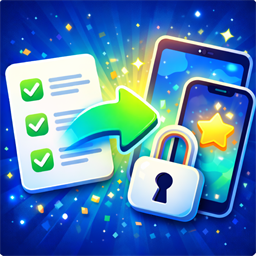
Lock games and social apps on your child’s phone until today’s tasks are done. Homework, chores, reading or brushing teeth happen first, and apps open when they’re finished.
Independent Android studio
SimpDev builds small, focused Android apps that solve one real problem well. No accounts you don’t need, no ads, and your data stays on your device unless you choose otherwise.
TaskLock, LeaveSafe and Sub Rotation are on Google Play.
Three apps, each built to do one job well on Android.
On Google Play
Screen time your kids earn
Lock games and social apps on your child’s phone until today’s tasks are done. Homework, chores, reading or brushing teeth happen first, and apps open when they’re finished.
 On Google Play
Leave the cabin with peace of mind
Checklists for your cabin, boat, caravan or second home. Run the departure check, add a photo as proof, and share the trip report with the family.
 On Google Play
Fair minutes without the sideline maths
Save your squad, set up the match, and get timed OUT → IN suggestions as the game runs. Confirm, skip or make your own swaps when plans change — then review every player’s minutes afterwards.
Available on Google Play · Android
TaskLock helps parents turn everyday responsibilities into healthy screen habits. Choose the apps to lock on your child’s device, add today’s tasks, and the apps open when the tasks are done. It replaces daily arguments with one simple rule: responsibilities first, screen time after.
How it works
Why parents use it
Who it’s for
Families where routines are hard, screen time is a daily negotiation, or parents simply want a calmer and more consistent way to manage apps.
Available on Google Play · Android
Sub Rotation helps grassroots coaches manage substitutions and work towards balanced playing time — without doing mental maths on the sideline. See who comes off, who goes on, and when the next rotation is due, and stay in control when match-day plans change.
How it works
Why coaches use it
Who it’s for
Youth and grassroots coaches who want fairer minutes for the whole squad, and parents who help run match day.
Available on Google Play · Android
LeaveSafe helps you remember what you checked before leaving a cabin, boat, caravan or second home. Keep a checklist for each place, run the arrival and departure checks, add photos and notes, and share the trip report with whoever needs to know.
How it works
Why people use it
Who it’s for
Cabin and boat owners, caravan travellers, and families who share a second home and want the same routine every time.
SimpDev is a one-person Android studio. I build apps for problems I meet in my own life: getting kids to finish homework before gaming, giving every child on the team fair minutes, and driving away from the cabin without wondering whether the stove is off.
Every app follows the same principles: simple ideas done well, clear design, stable releases, and respect for your data. Feedback from real families and coaches shapes every update.
Private by default
Data lives on your device. Sync only when you turn it on, and only what the feature needs.
Your data isn’t for sale
We never sell personal data. How the apps are funded may change over time; your information stays yours.
Built for families
No public profiles, feeds or chat. Kids use TaskLock under a parent’s control.